Sep 29 - Reimbursements
Employees can now submit out of pocket purchases as reimbursements in Expense Management. A reimbursement goes through the same coding and approval steps as a card expense. It then syncs to your ERP as an open AP invoice payable to the employee, so you pay them back through your normal payment run.
Submitting a reimbursement
Reimbursements are submitted from the field app or the web app through the same Add receipt flow used for card purchases.
- Tap Add receipt and fill in the expense details as usual: project (leave it blank for overhead), cost code, and an optional memo.
- On the Type step, choose Reimbursement under "How did you pay?" and pick whether you are uploading a receipt or a gas pump photo.
- Upload the image and submit.
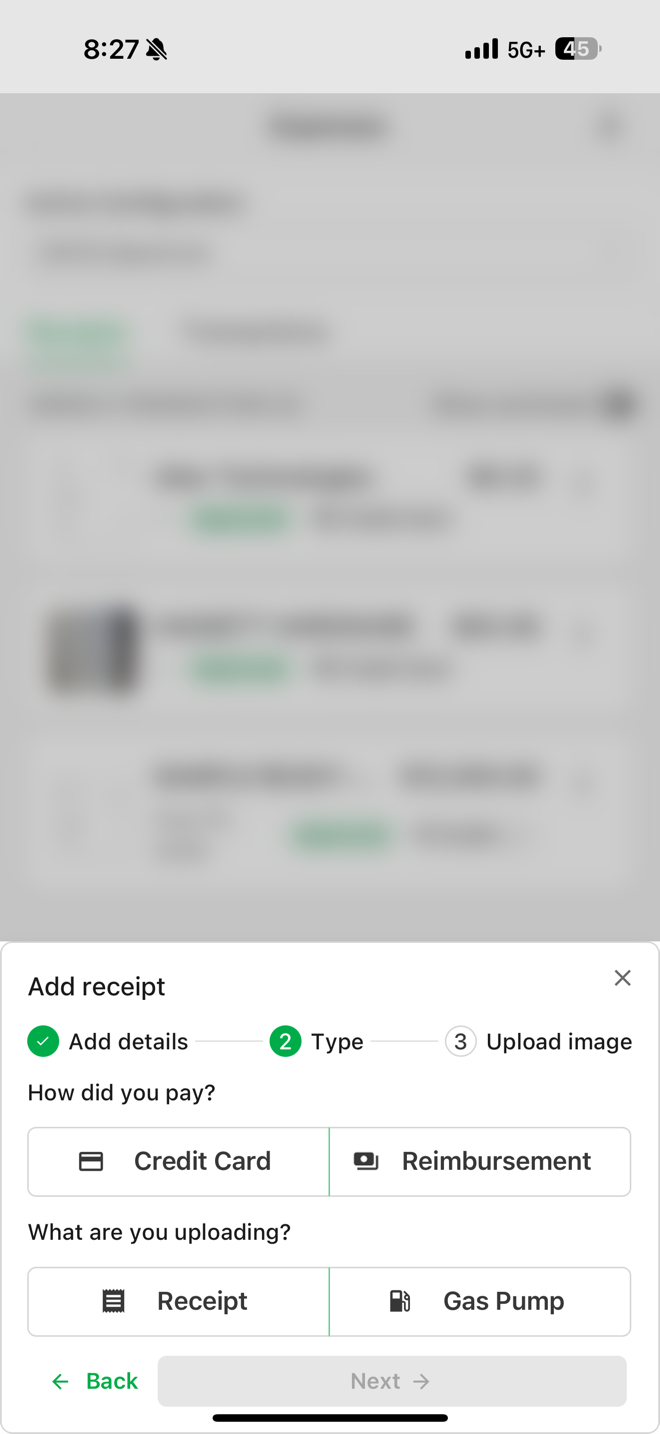
Because there is no card transaction behind a reimbursement, Agave never tries to match it to one. Reimbursements stay out of auto-match, manual linking, the unlinked transaction count, and card reconciliation, and they will not raise missing transaction warnings. The vendor defaults to the employee's own vendor record, so the submitter does not need to pick one. Reimbursements cannot be submitted through the email inbox.
Review, approval, and sync to your ERP
In the admin app, a transaction type chip on each expense shows accounting whether it is a card purchase or a reimbursement. Job costing, cost codes, and approval workflows work the same way they do for card expenses, and your approval rules can treat reimbursements differently, for example requiring approval on out of pocket fuel while card fuel passes through.
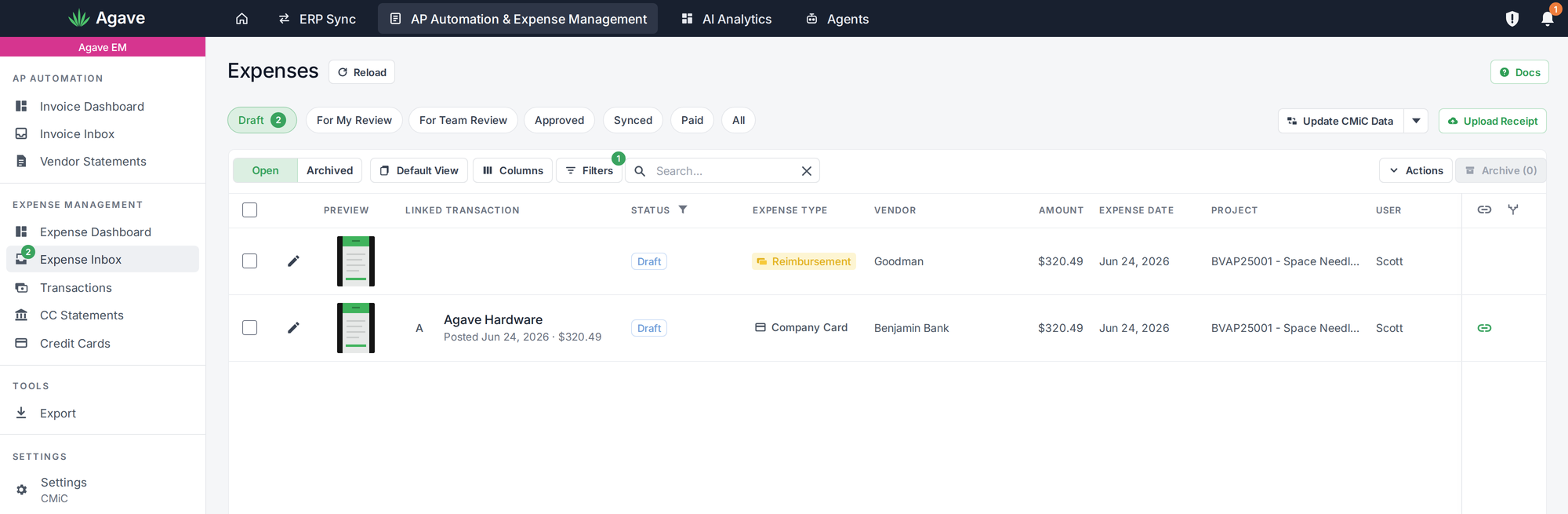
The main difference is how the expense lands in your ERP:
| Card expense | Reimbursement | |
|---|---|---|
| Matched to a card transaction | Yes | No |
| Vendor | Merchant or card vendor | The employee's vendor record |
| Lands in the ERP as | A prepaid transaction against your card account | An open AP invoice, awaiting your review |
| How the employee is paid | Not applicable | Through your normal AP payment run |
Agave does not move money. Once the invoice is in your ERP, you pay the employee the same way you pay any other vendor.
Getting started
Reimbursements are rolling out to select ERPs first. Before your team starts submitting, your Agave team will map each eligible employee to their vendor record in your ERP and confirm how reimbursement invoices should be set up, including payment terms. Reach out to your account manager to turn it on.