Jul 17 - Auto-Tagging
Tags can now apply themselves. Describe when a tag should be used in plain language, and Agave assigns it automatically as invoices are processed.
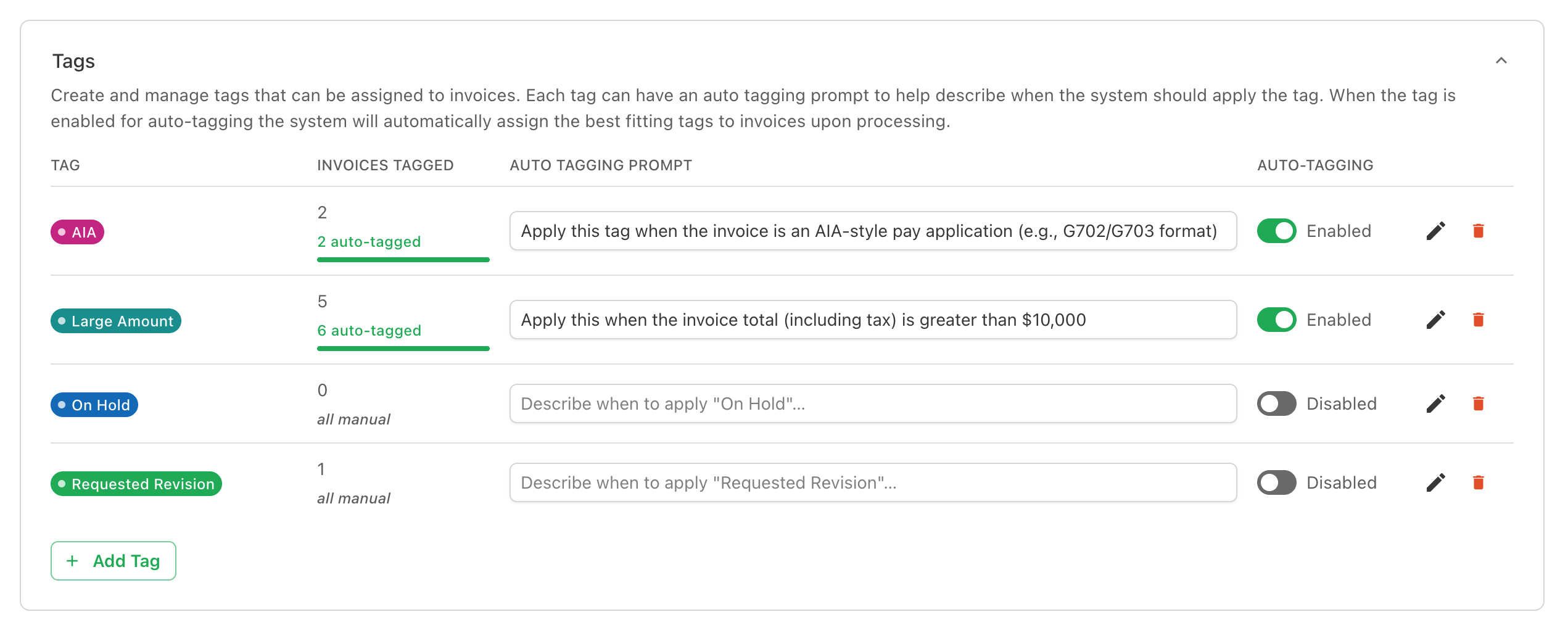
Auto-Tagging Prompts
Each tag can carry an auto tagging prompt - a short description of when to apply it, like "Apply when the invoice is an AIA-style pay application (G702/G703)" or "Apply when the invoice total exceeds $10,000". Enable auto-tagging on a tag and Agave applies it automatically to matching invoices during processing.
Previewing Before You Commit
Before applying a prompt to incoming invoices, test it on a recent one. Pick an invoice, run the preview, and see exactly which tags would apply, each with a confidence score and a short explanation of why.
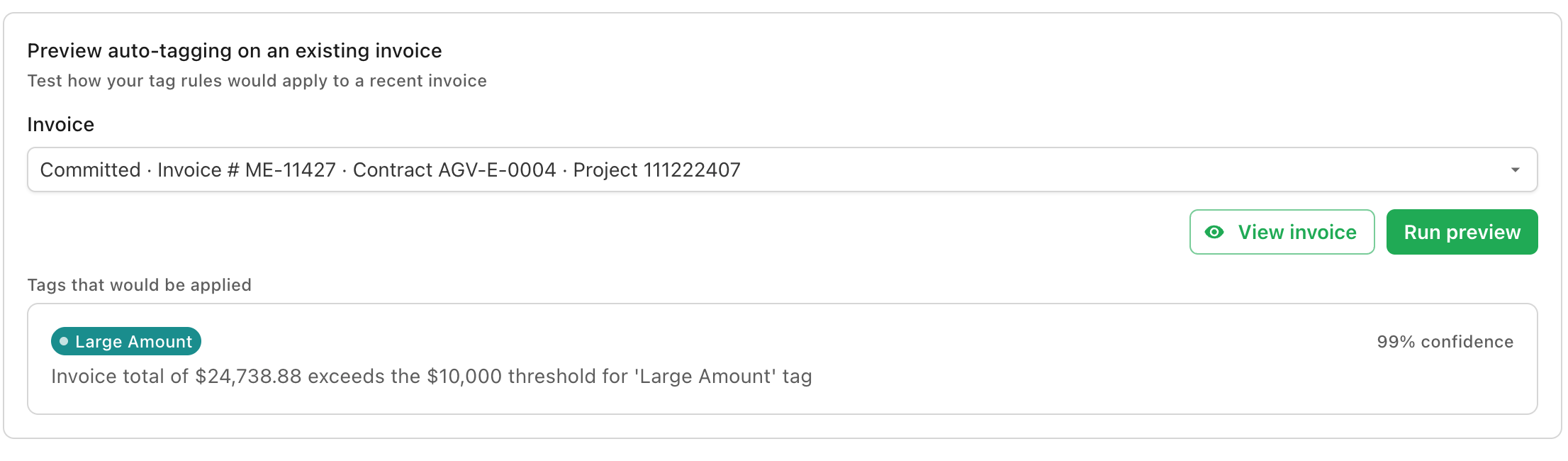
Use the preview to refine wording until a prompt reliably tags the invoices you expect, then enable it with confidence.