Mar 03 - Commitment Billing History

· One min read
Ben Vandenbosch
Ben Vandenbosch

Prevent surprise cost overruns with overbilling warnings and visibility into previous Purchase Order/Subcontract invoices.

Contract Billing History

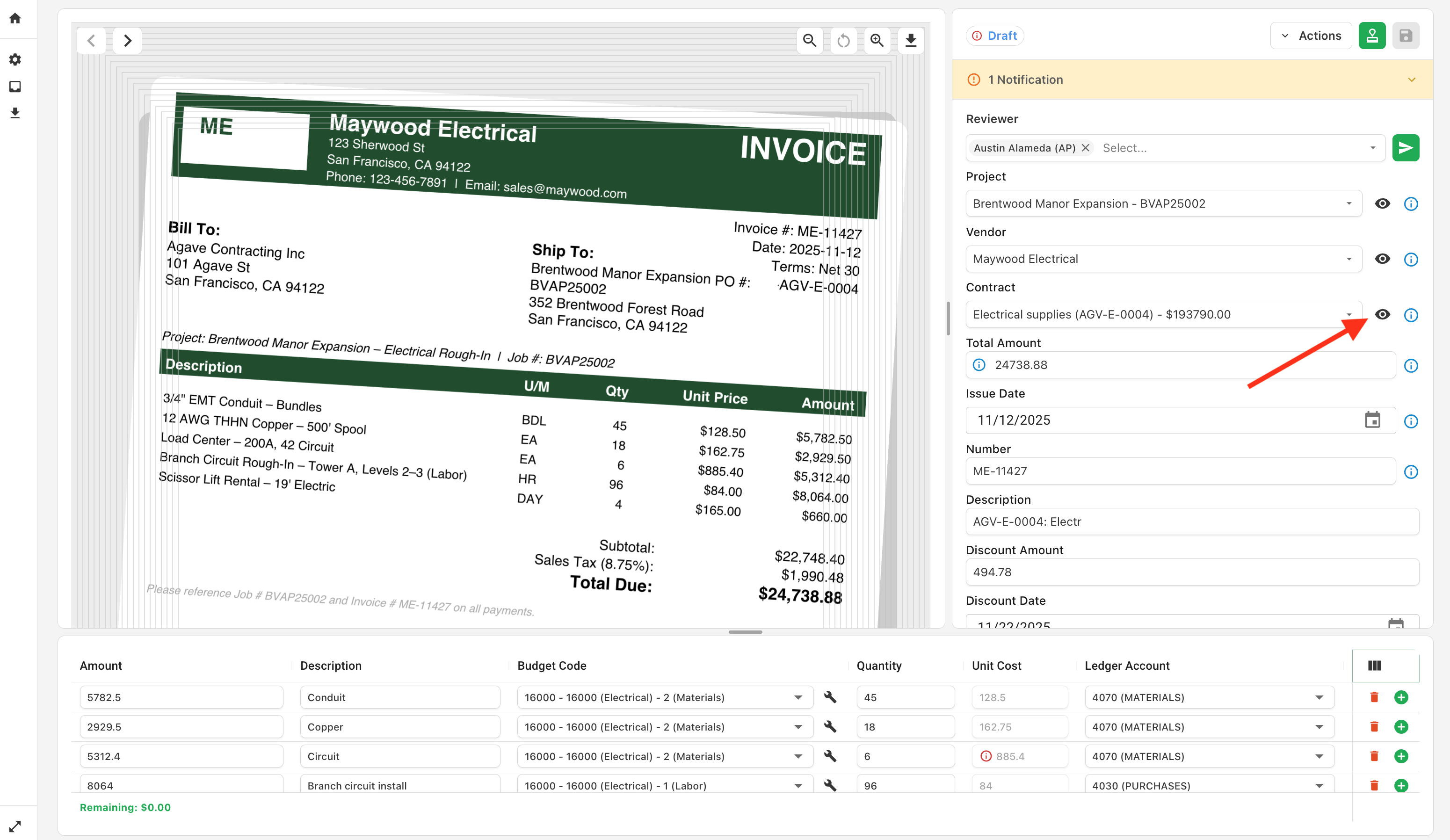
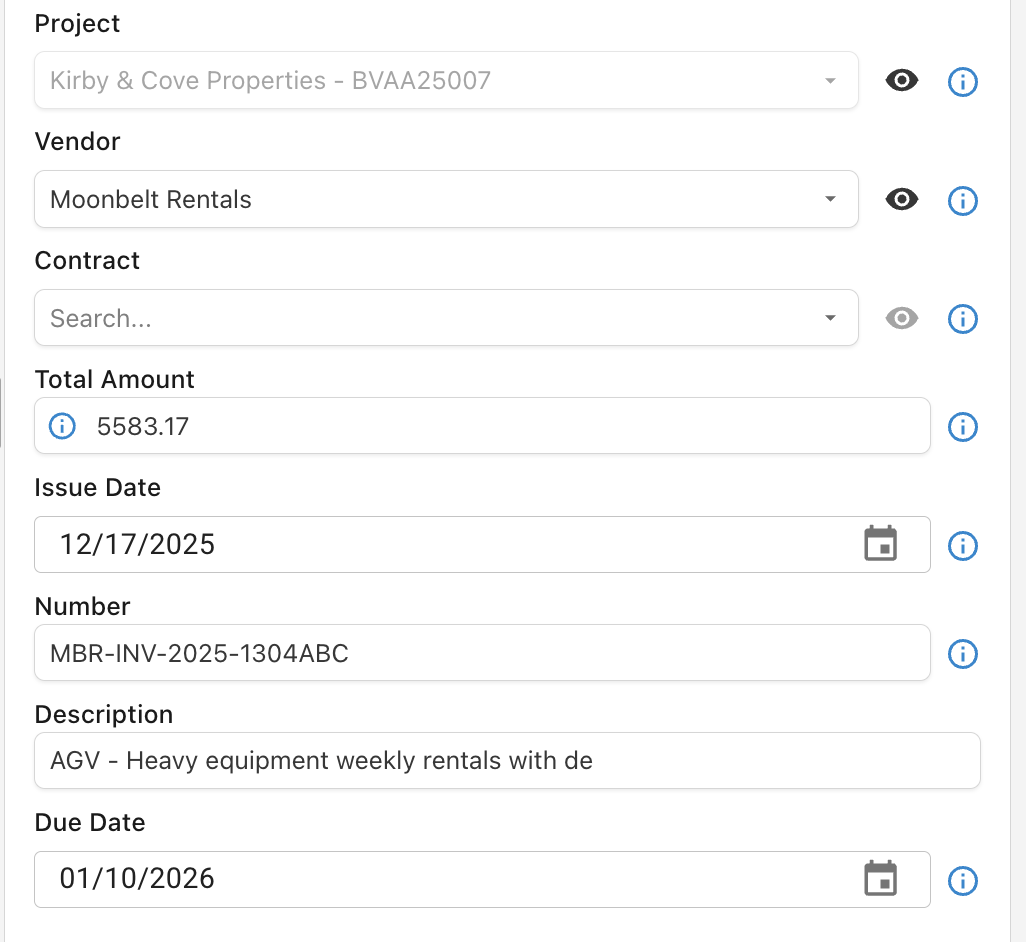
To make more informed approval decisions when reviewing invoices against POs and Subcontracts, you can now view commitment billing history directly in Agave.

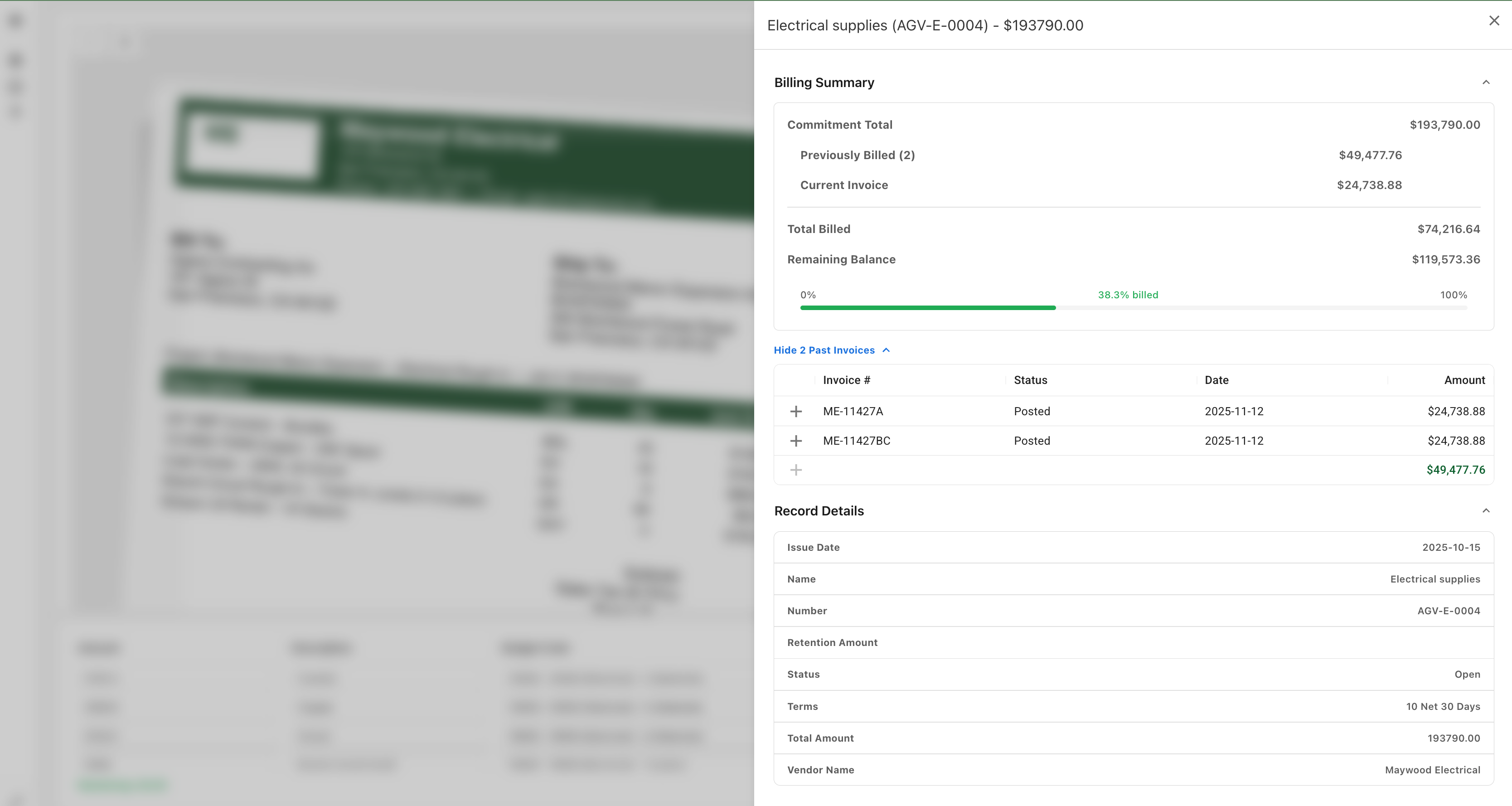
Open the Contract Flyout using the eyeball icon next to the Contract field: Contract Flyout Icon

We've introduced a new Contract Billing summary that shows billings thus far, and total amount billed inclusive of the current invoice: Contract Flyout Icon

These previous invoices are pulled directly from your accounting system (with the status noted), so you have full financial clarity on the contract.

Overbilling Warnings

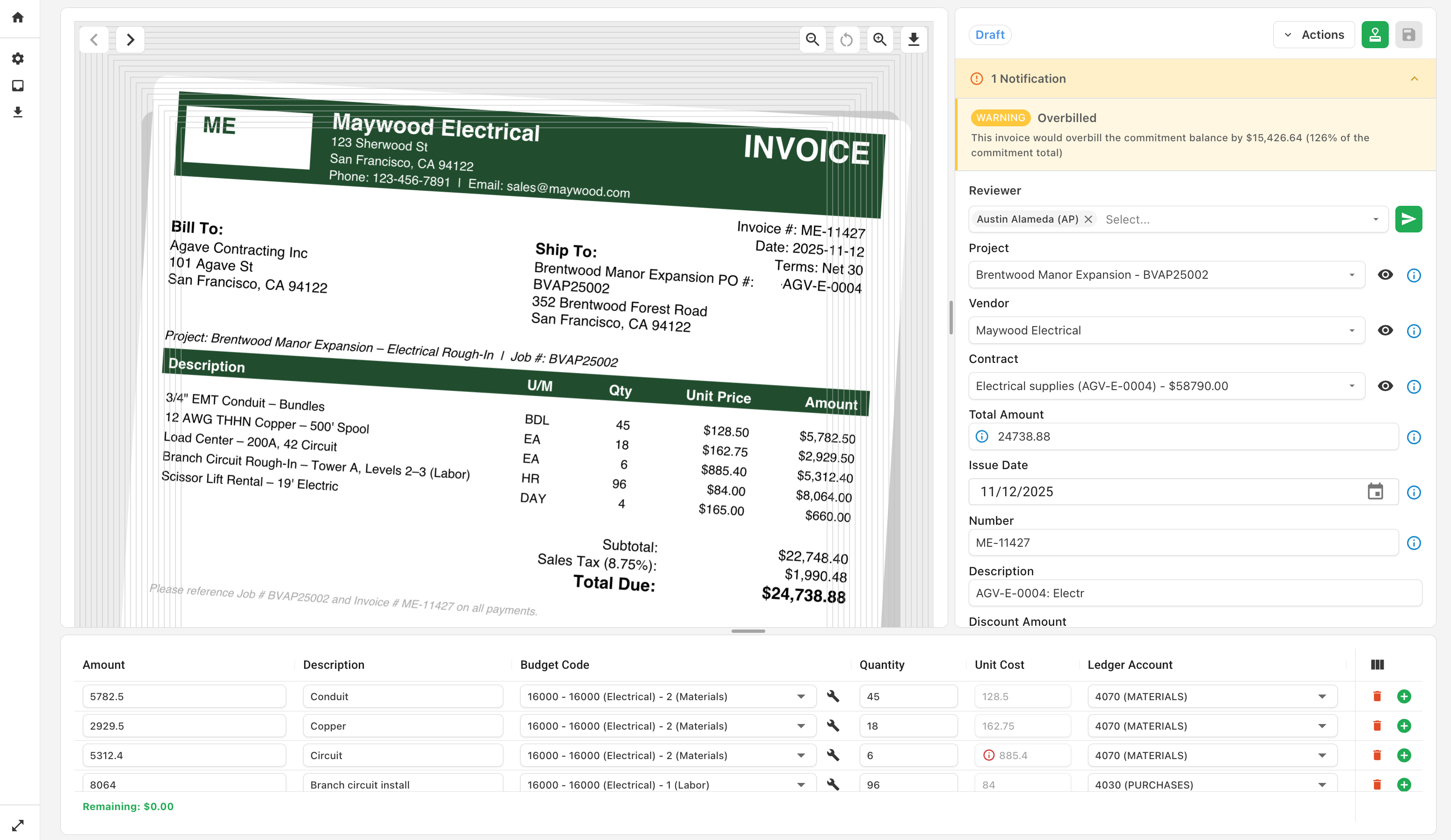
Agave will also highlight an overbilling of the current contract amount during review to help prevent cost overruns: Overbilling Warning

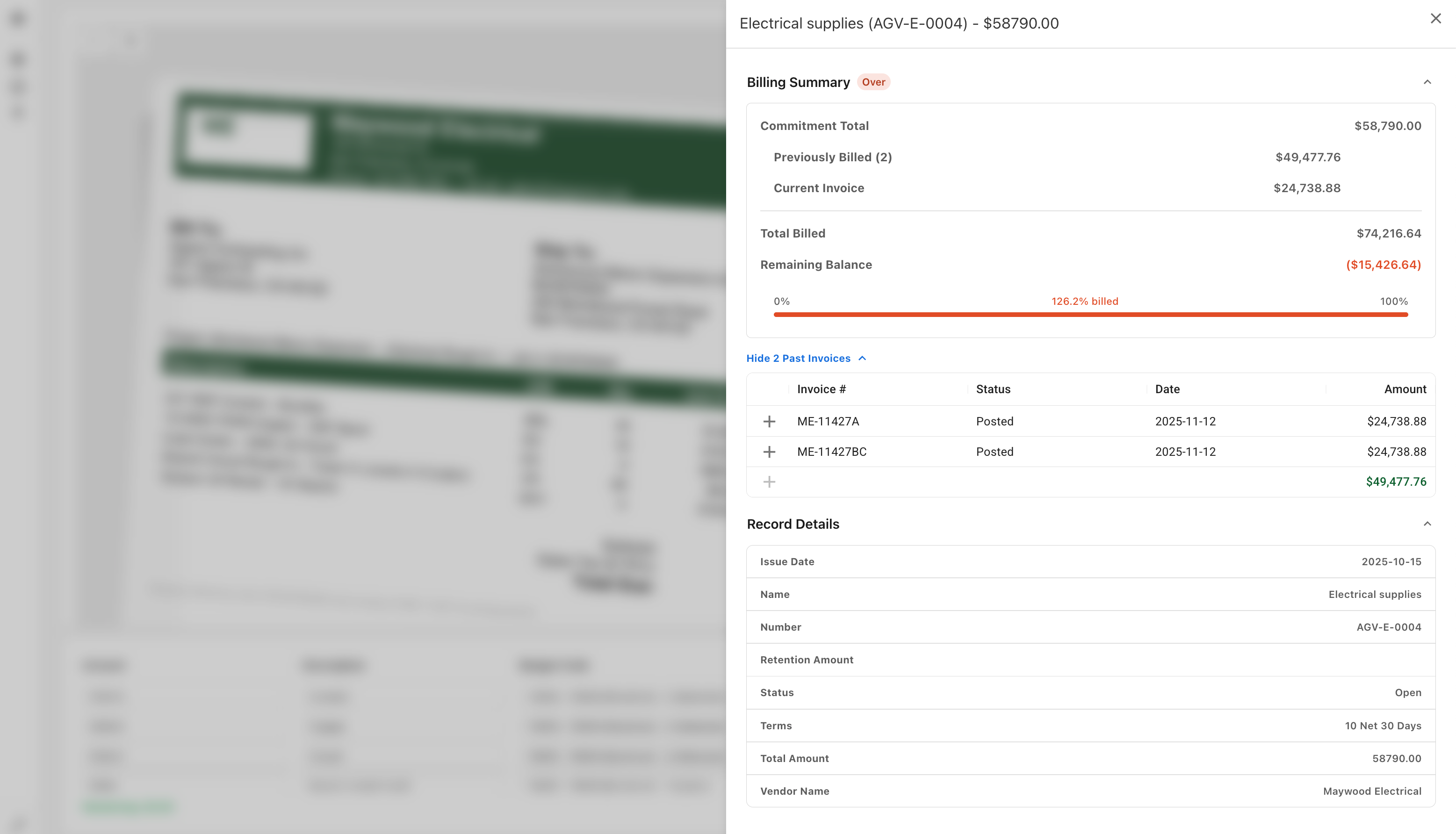
This is also displayed on the Contract Flyout page: Contract Flyout Icon

note

This is available now for Foundation users and will roll out to other accounting systems in coming weeks.

Feb 28 - Field Level Permissions for Reviewers

· One min read
Ben Vandenbosch
Ben Vandenbosch

You can now control which fields Reviewers are able to edit when reviewing invoices.

To better control approval workflows, you can now limit which fields your Reviewers can edit on invoices. Example use cases:

  1. Prevent Reviewers from Reassigning Invoices to Other Projects - For more tightly controlled job costing, this prevents users from costing invoices to other projects.

  2. Restrict GL Account Edits to Accounting Users - For fields (e.g. GL Accounts) that only accounting users should toggle, you can prevent other reviewers from updating them.

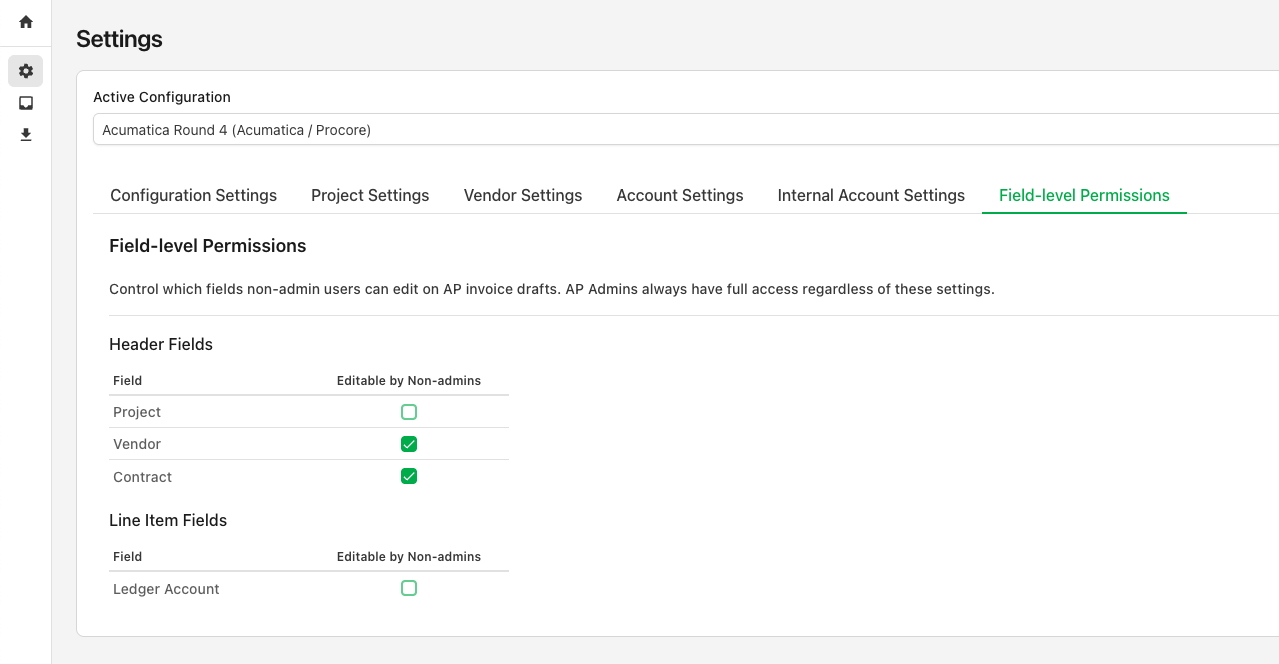
Navigate to the Settings Page and click the Field-level Permissions tab to configure these permissions: Filed-Level Permissions Settings

tip

AP Admins can always edit all fields on an invoice. This only impacts users who are not set up as AP Administrators.

Users with restricted access can still see (but not modify) these fields from the invoice view. In the below example, Project is not editable by the reviewer: Filed-Level Permissions Example

Feb 19 - Exclude Vendors and Projects from Automatching

· One min read
Ben Vandenbosch
Ben Vandenbosch

You can now designate specific Vendors and Projects that Agave AI will not automatch when coding your invoices.

Previously Agave AI could overmatch particular Projects or Vendors in certain edge cases. Examples:

  1. Overhead or other Projects located at your office, sharing an address with the "Bill to" address on invoices
  2. Vendors with the same name as your company (e.g. if you write subcontracts to yourself)
tip

Disabling automatching for a Project or Vendor will stop Agave from using it for automatching, but you can still select it manually.

To exclude a project from automatching, navigate to Settings > Project Settings > Exclude from automatic matching:

Project Automatch Exclusion

To exclude a vendor from automatching, navigate to Settings > Vendor Settings > Exclude from automatic matching: Project Automatch Exclusion

A few additional notes:

  • This setting only applies on a go-forward basis for newly processed invoices
  • It's not permnanent. You can enable/disable at any point as you see fit

Feb 18 - Agave AI Now Displays Field Matching Logic

· One min read
Ben Vandenbosch
Ben Vandenbosch

Agave AI now explains how fields were matched and highlights them on the document.

To see how a field was coded, hover over the information icon next to the field:

Project Matching Explanation

This will also highlight the relevant area of the invoice document: Project Matching Explanation

We will continue adding support for additional fields and smarter matching in the coming weeks.

Feb 01 - Agave AI Now Automatically Splits Invoice Documents

· One min read
Ben Vandenbosch
Ben Vandenbosch

Agave AI now automatically splits invoices contained in the same document.

Vendors often send invoices for multiple projects or time periods within the same document. Agave AI now automatically detects and splits these invoices for easy routing and job costing: Document Splitting

If you would like to combine split documents, you can do this directly in Agave via the merge tool:

Document Merge

Then, you can regroup them into invoices in a structure of your choosing: Document Merge

Video Tutorial