Jun 16 - New Bulk Export
The Export tool has been rebuilt with new filters, packaging options, and folder layouts.
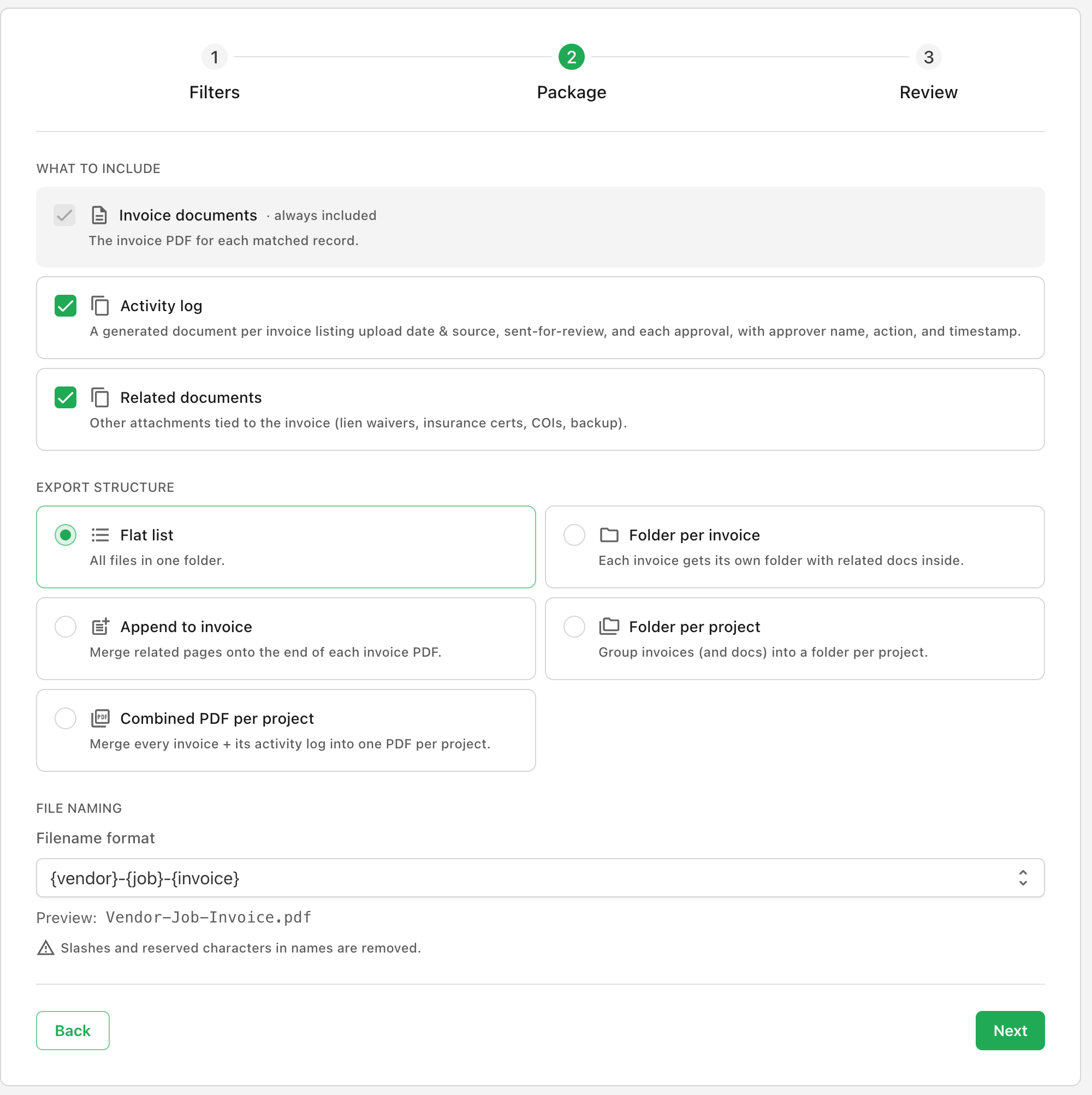
Filtering
Narrow the export by project, vendor, tag, status, amount, or three date ranges. A live match count updates as filters change.
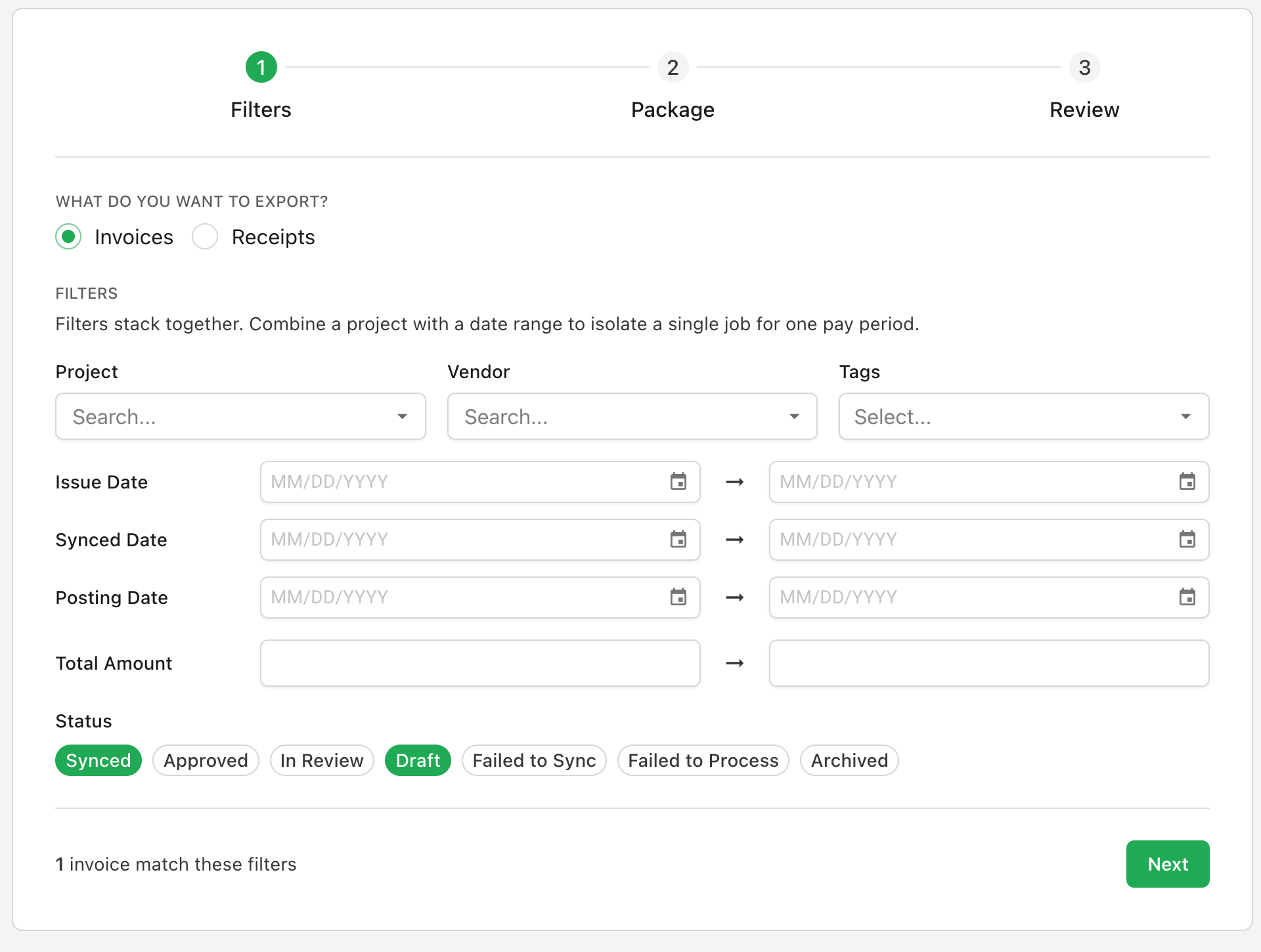
Package Contents
Pick what each export carries. The invoice PDF is always included. You can also add the activity log - a record of who uploaded, reviewed, and approved each invoice, with timestamps - and any related documents like lien waivers, COIs, or backup.
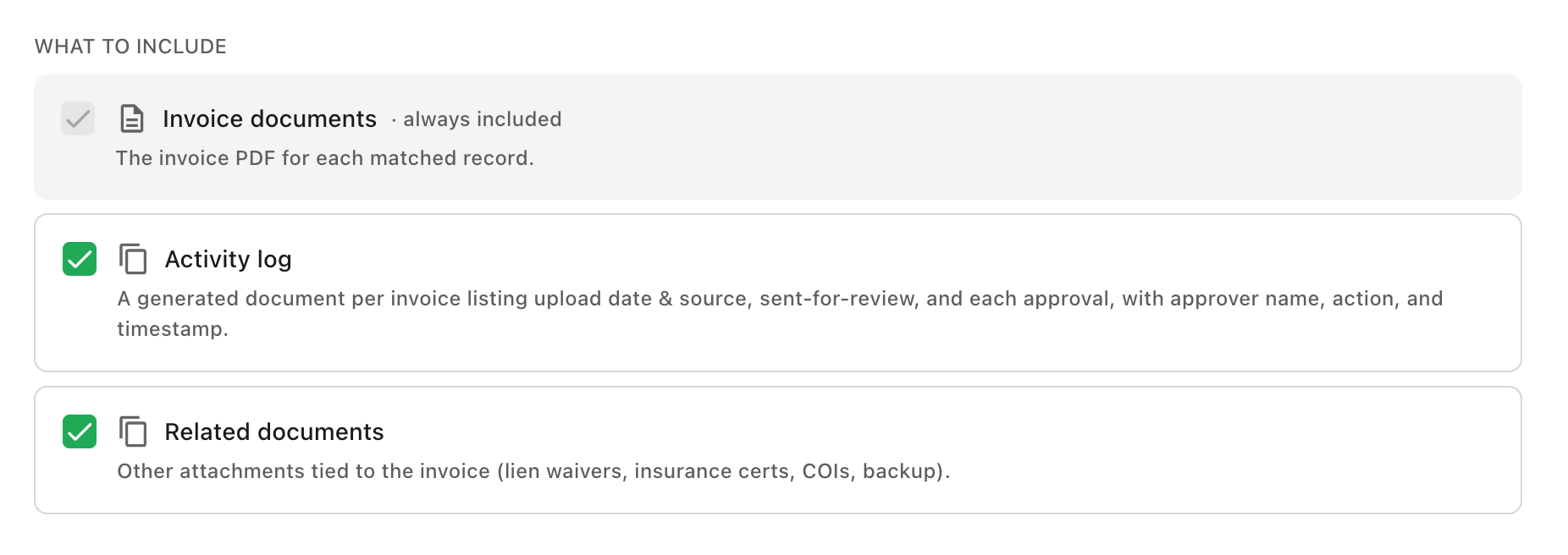
Folder Structure
Pick the folder layout - a flat list, a folder per invoice, a folder per project, related pages appended onto each invoice PDF, or one combined PDF per project.
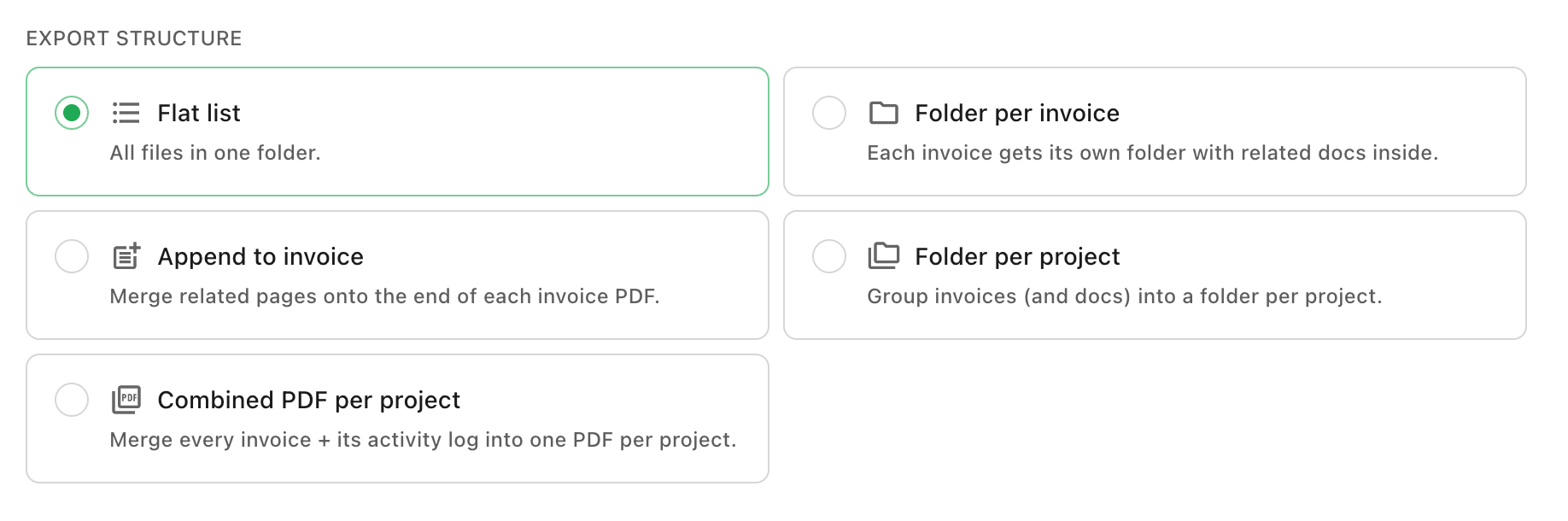
File Naming
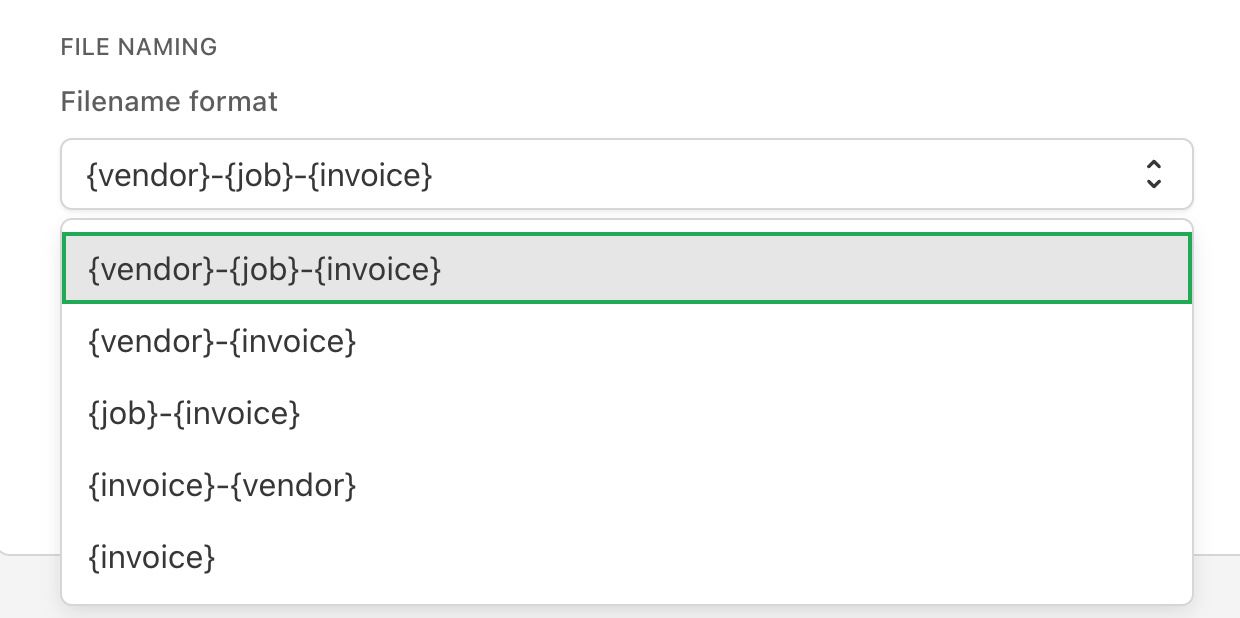
Choose how files are named. Vendor, job, and invoice number combine in the order that fits how your team files invoices.
Review and Submit
Review the matched records, then submit. Agave emails you a download link when the file is ready.