Feb 28 - Field Level Permissions for Reviewers
You can now control which fields Reviewers are able to edit when reviewing invoices.
To better control approval workflows, you can now limit which fields your Reviewers can edit on invoices. Example use cases:
-
Prevent Reviewers from Reassigning Invoices to Other Projects - For more tightly controlled job costing, this prevents users from costing invoices to other projects.
-
Restrict GL Account Edits to Accounting Users - For fields (e.g. GL Accounts) that only accounting users should toggle, you can prevent other reviewers from updating them.
Navigate to the Settings Page and click the Field-level Permissions tab to configure these permissions:
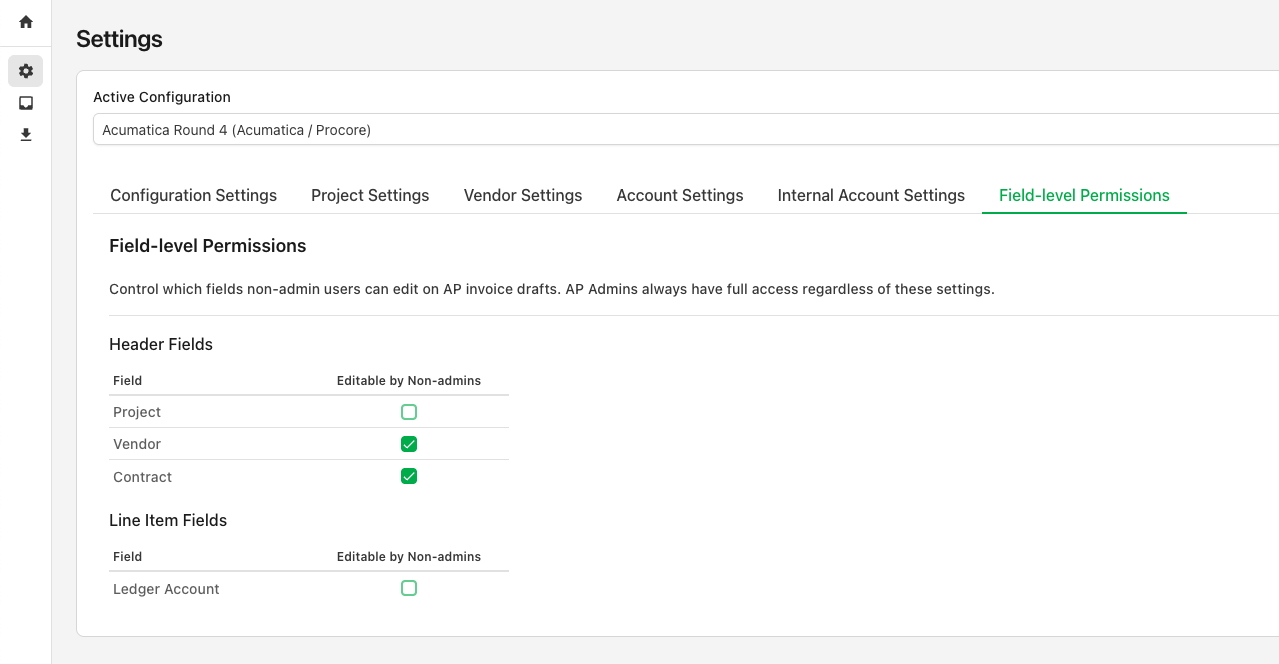
AP Admins can always edit all fields on an invoice. This only impacts users who are not set up as AP Administrators.
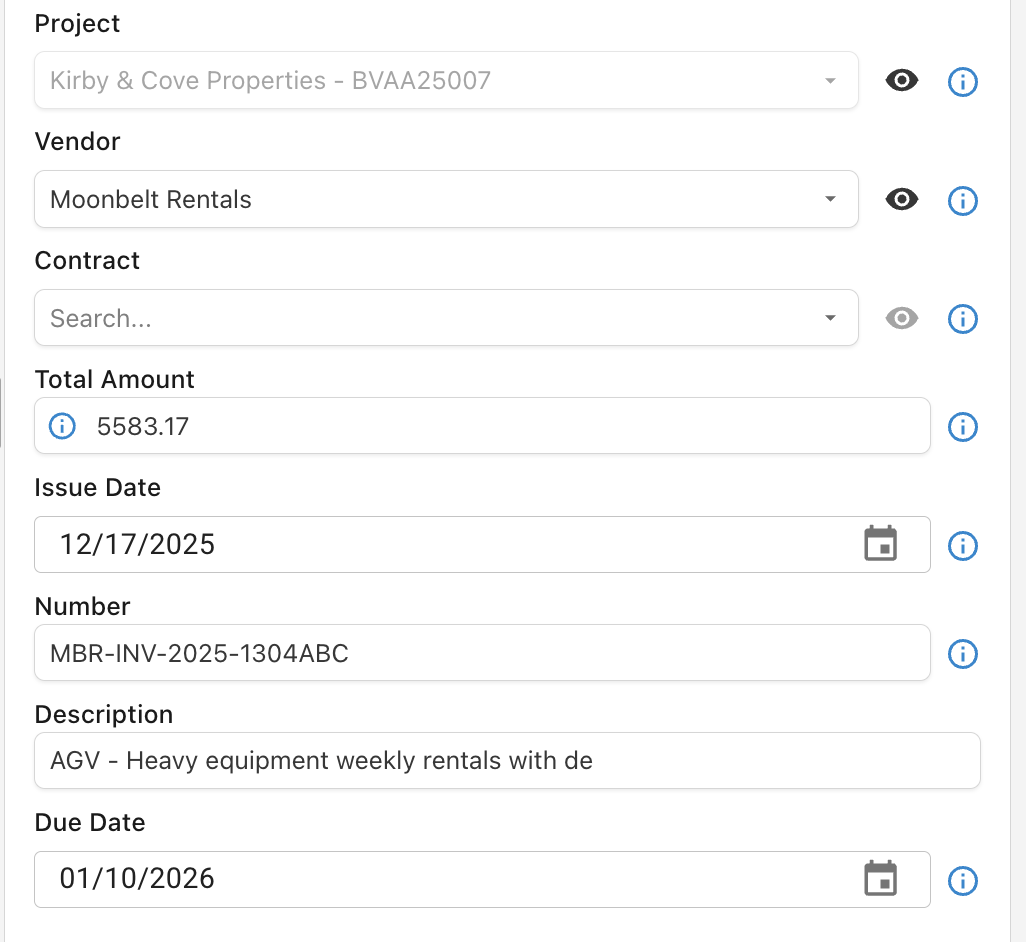
Users with restricted access can still see (but not modify) these fields from the invoice view. In the below example, Project is not editable by the reviewer: