3 posts tagged with "automatching"

View All Tags

Feb 19 - Exclude Vendors and Projects from Automatching

· One min read
Ben Vandenbosch
Ben Vandenbosch

You can now designate specific Vendors and Projects that Agave AI will not automatch when coding your invoices.

Previously Agave AI could overmatch particular Projects or Vendors in certain edge cases. Examples:

  1. Overhead or other Projects located at your office, sharing an address with the "Bill to" address on invoices
  2. Vendors with the same name as your company (e.g. if you write subcontracts to yourself)
tip

Disabling automatching for a Project or Vendor will stop Agave from using it for automatching, but you can still select it manually.

To exclude a project from automatching, navigate to Settings > Project Settings > Exclude from automatic matching:
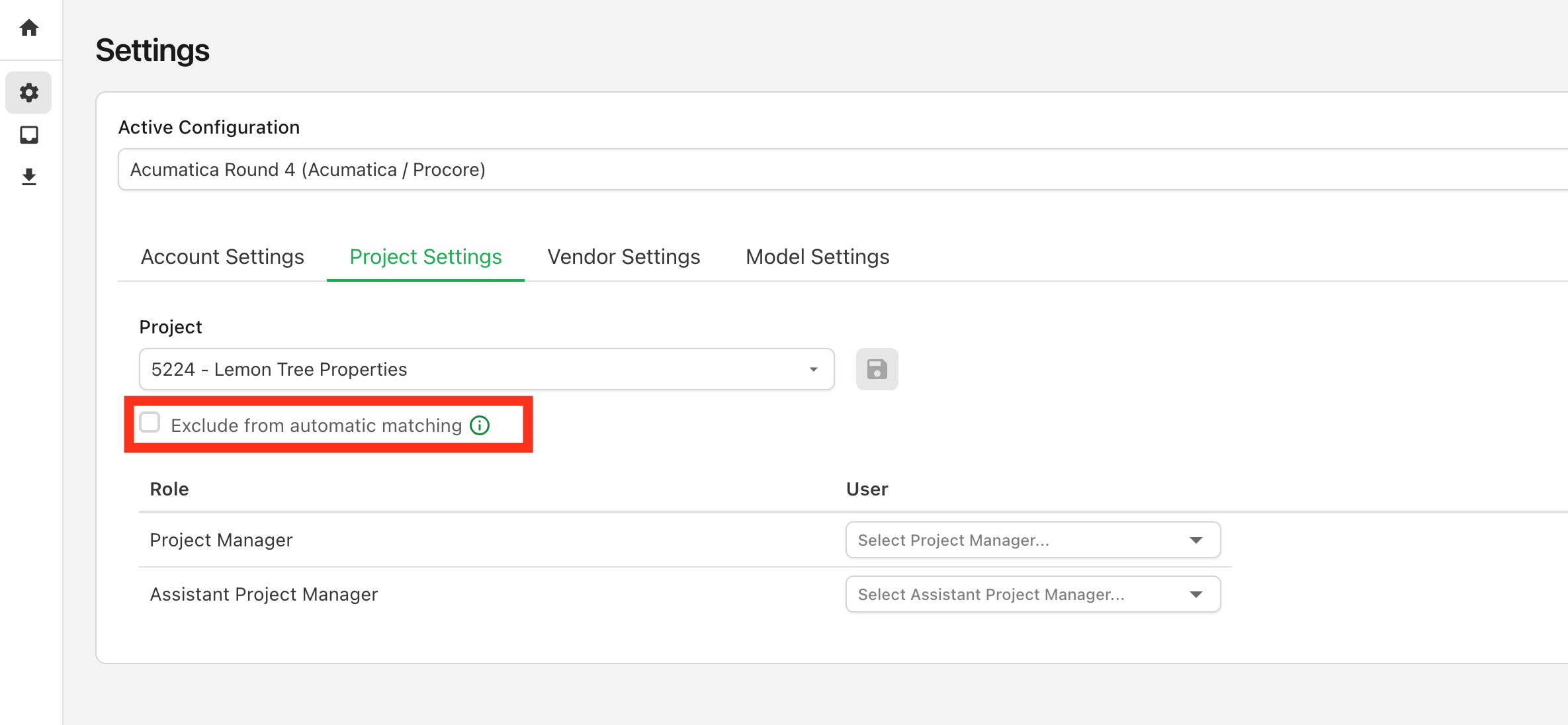
Project Automatch Exclusion

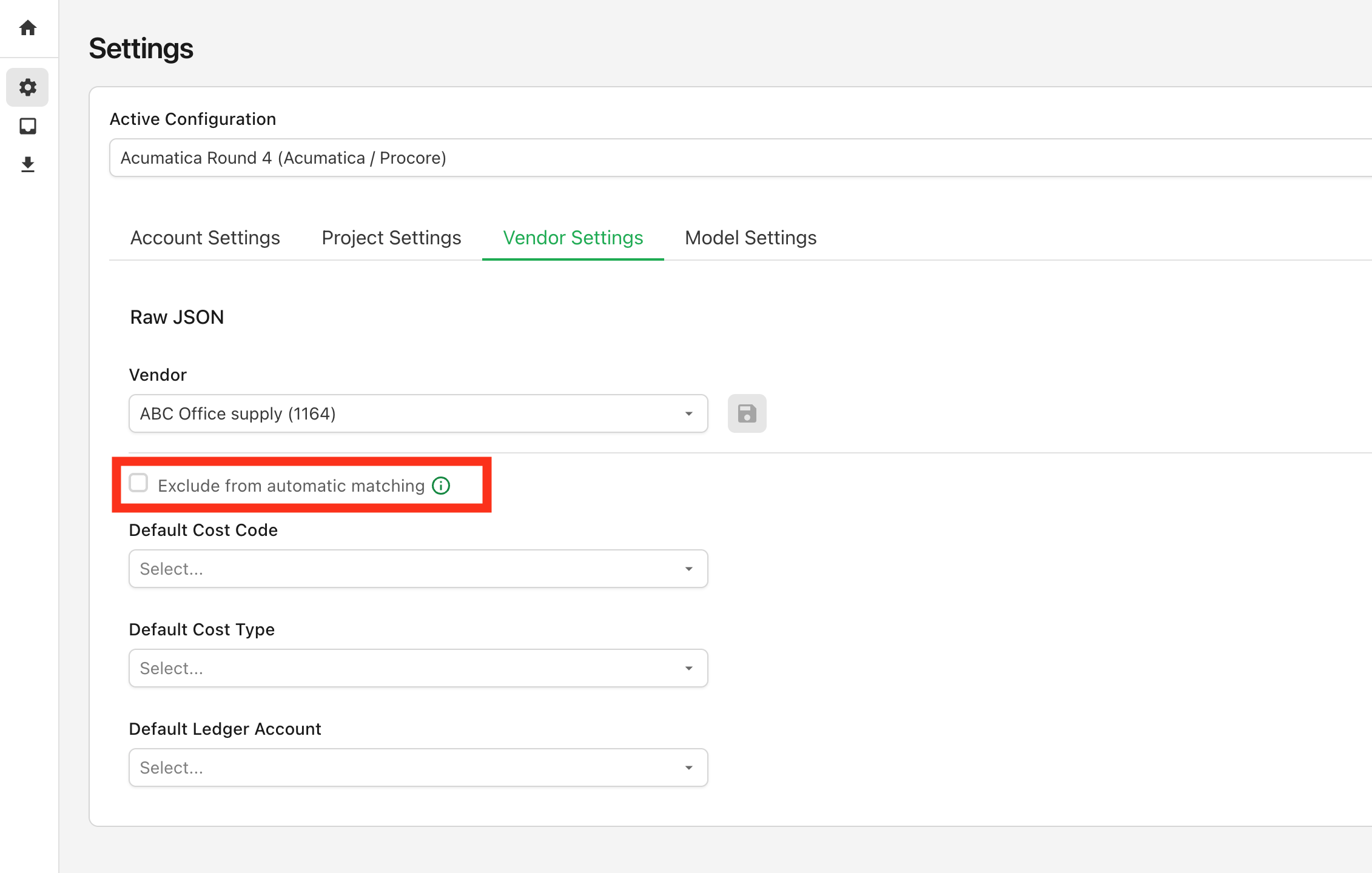
To exclude a vendor from automatching, navigate to Settings > Vendor Settings > Exclude from automatic matching: Project Automatch Exclusion
A few additional notes:

  • This setting only applies on a go-forward basis for newly processed invoices
  • It's not permnanent. You can enable/disable at any point as you see fit
Feb 18 - Agave AI Now Displays Field Matching Logic

· One min read
Ben Vandenbosch
Ben Vandenbosch

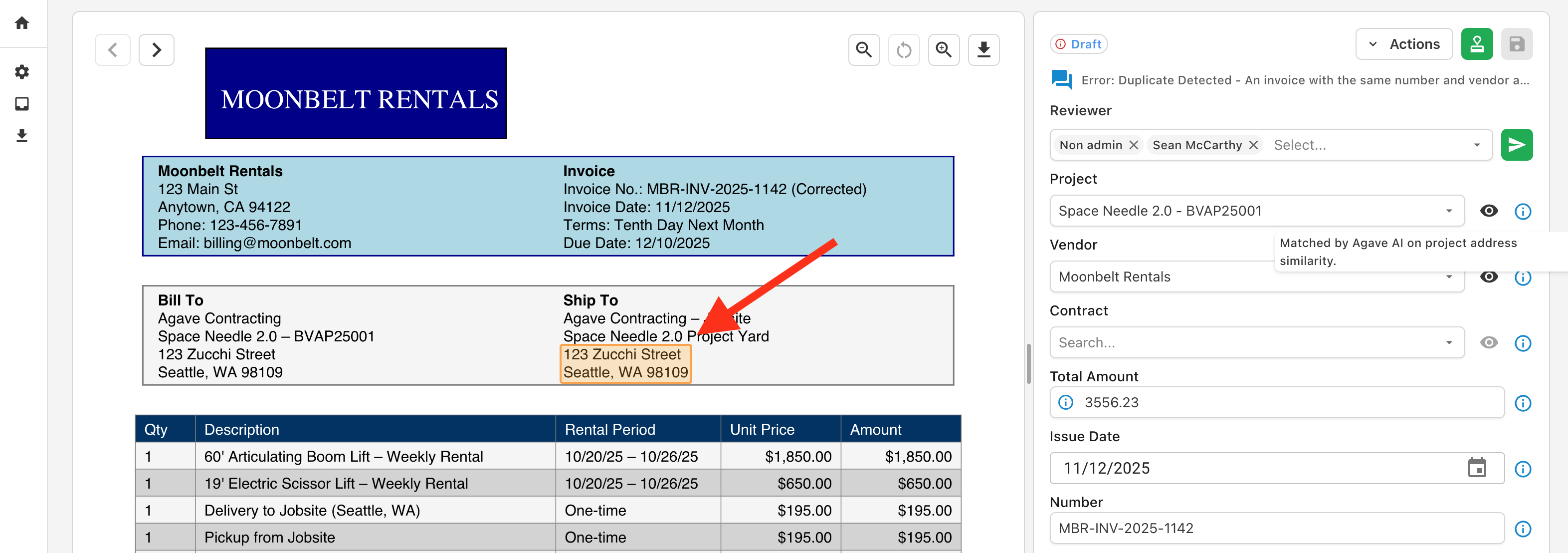
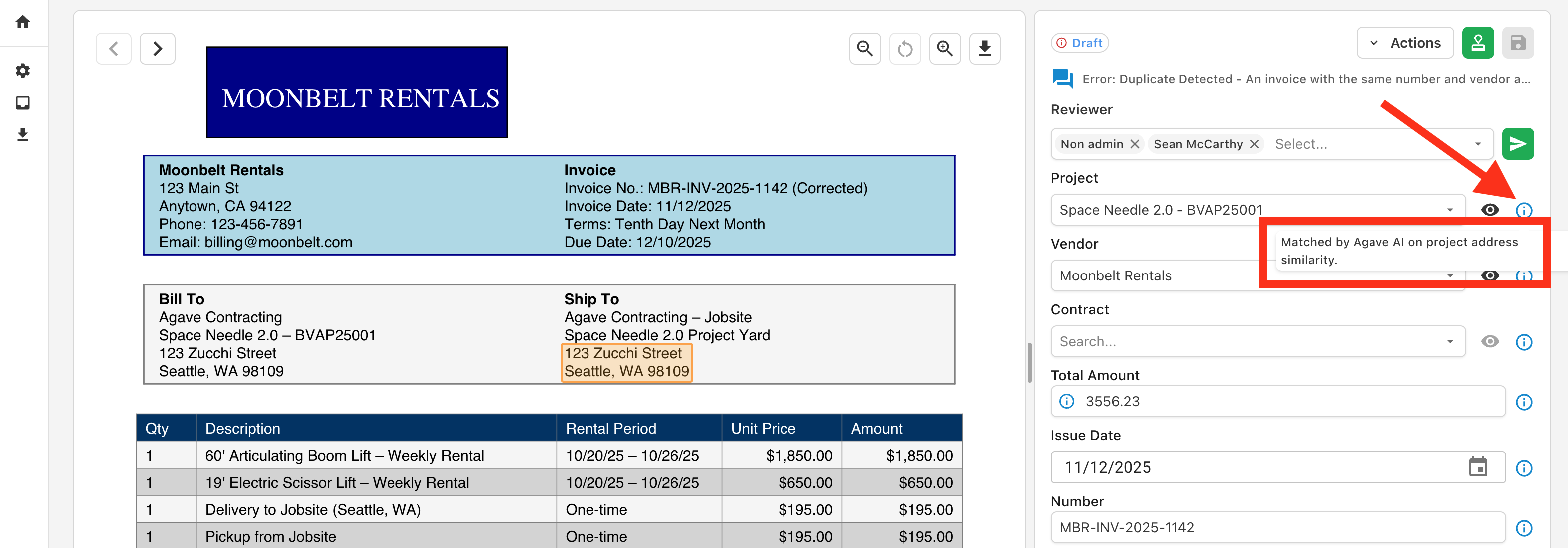
Agave AI now explains how fields were matched and highlights them on the document.

To see how a field was coded, hover over the information icon next to the field:

Project Matching Explanation

This will also highlight the relevant area of the invoice document: Project Matching Explanation

We will continue adding support for additional fields and smarter matching in the coming weeks.

Feb 01 - Agave AI Now Automatically Splits Invoice Documents

· One min read
Ben Vandenbosch
Ben Vandenbosch

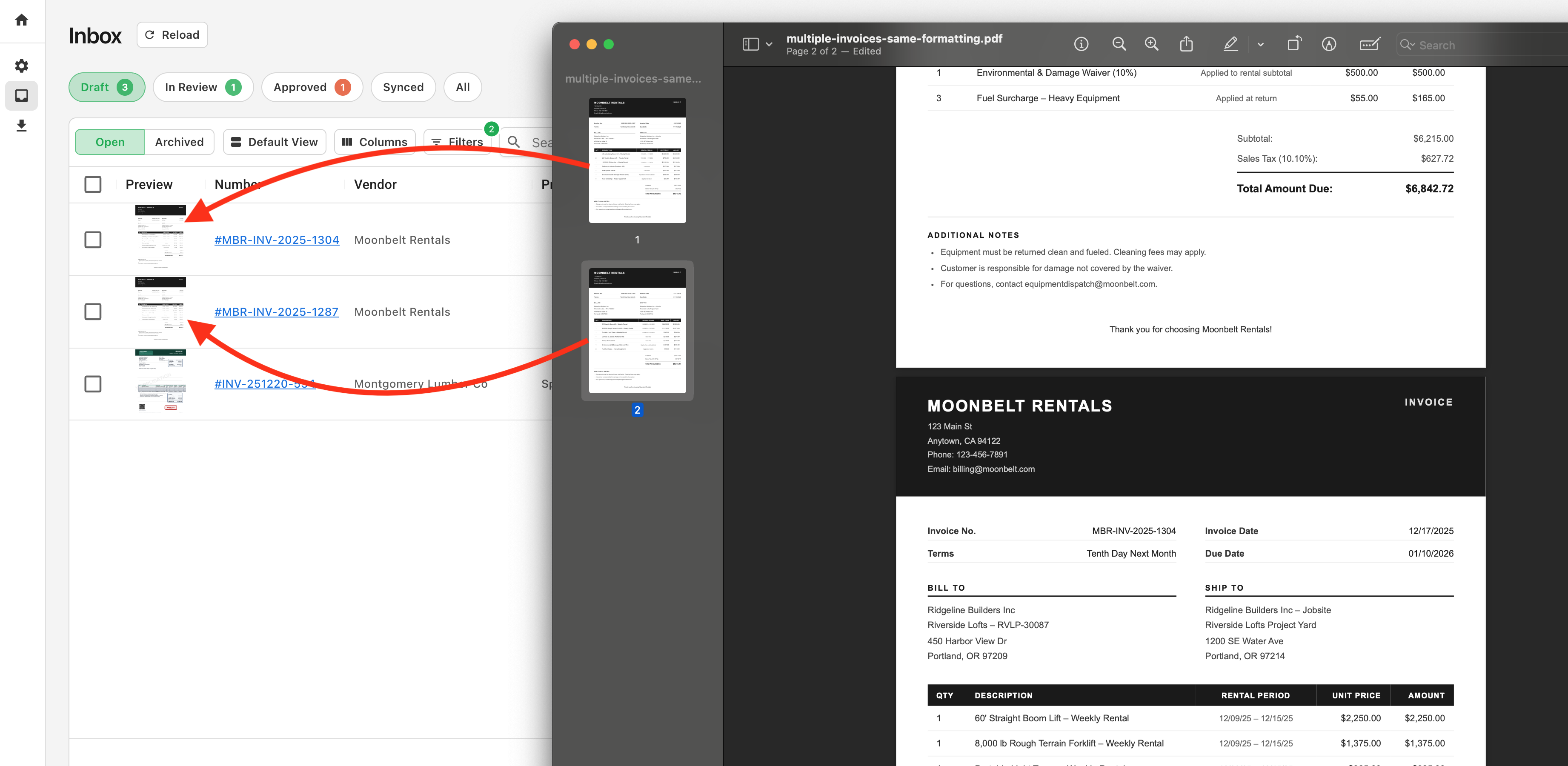
Agave AI now automatically splits invoices contained in the same document.

Vendors often send invoices for multiple projects or time periods within the same document. Agave AI now automatically detects and splits these invoices for easy routing and job costing: Document Splitting

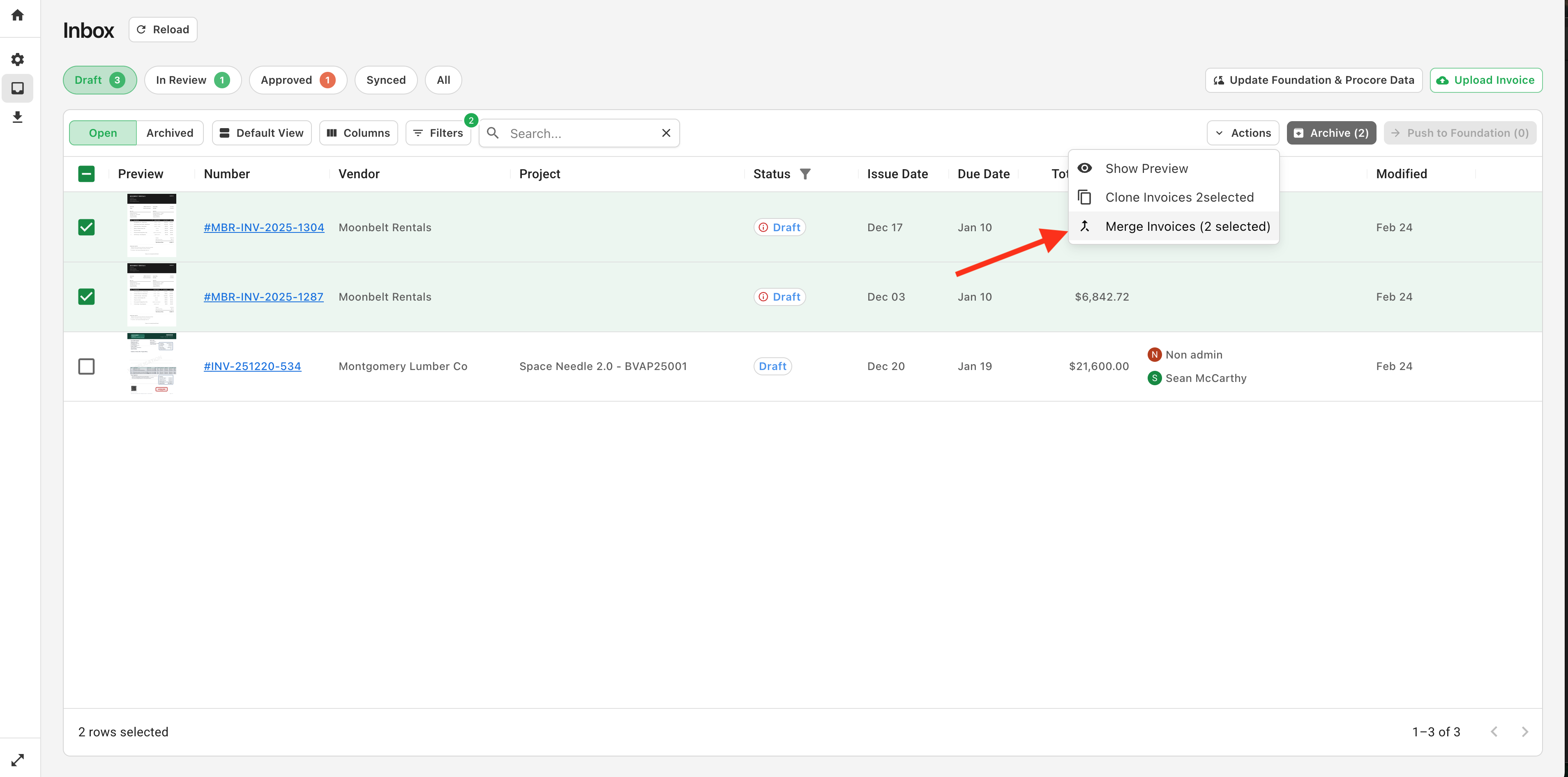
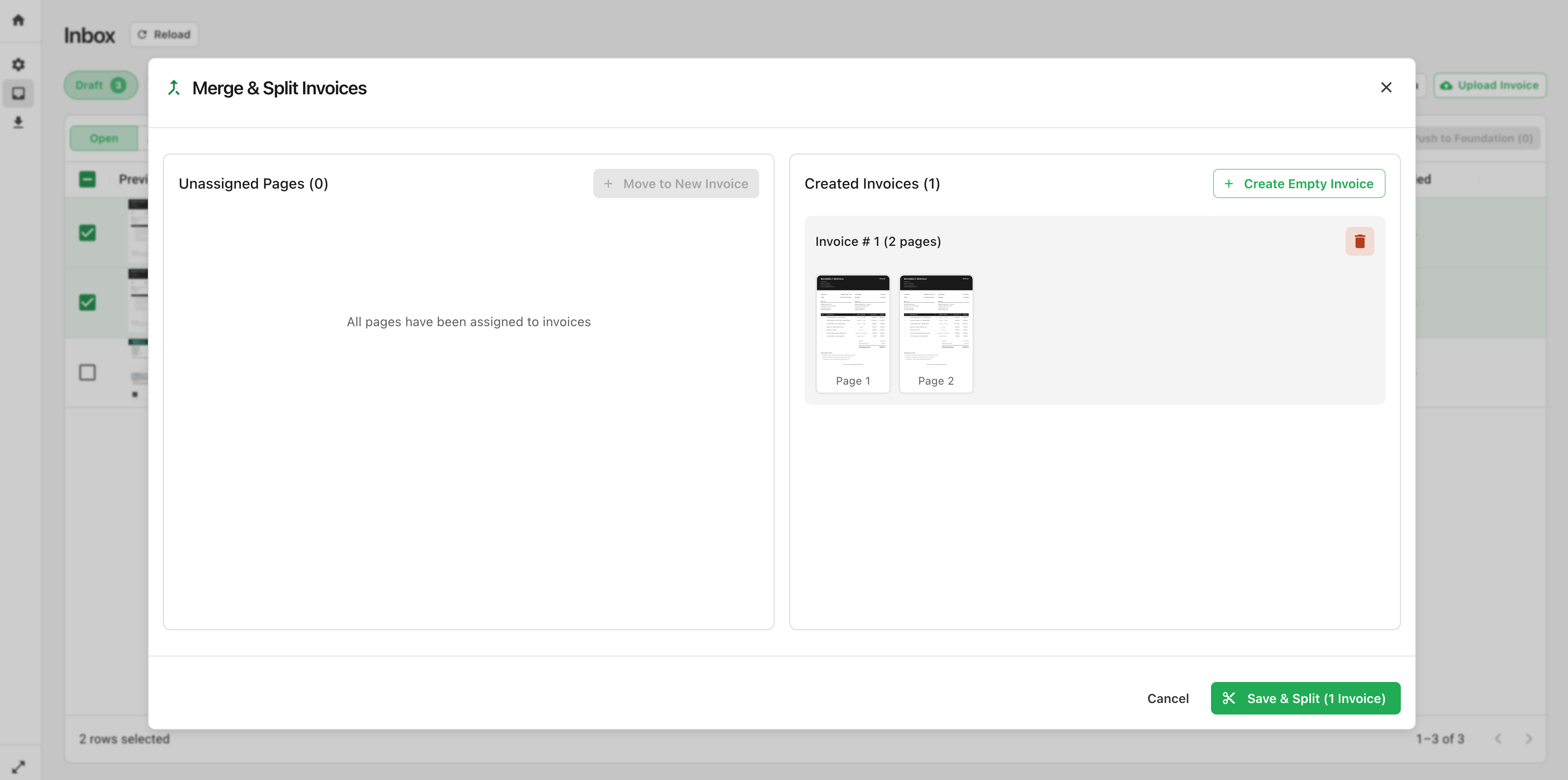
If you would like to combine split documents, you can do this directly in Agave via the merge tool:

Document Merge

Then, you can regroup them into invoices in a structure of your choosing: Document Merge

Video Tutorial