Line Item Coding
Agave connects to your accounting/ERP system to automatically code your invoices and export them upon approval.
Line Item Coding for Commitment Invoices
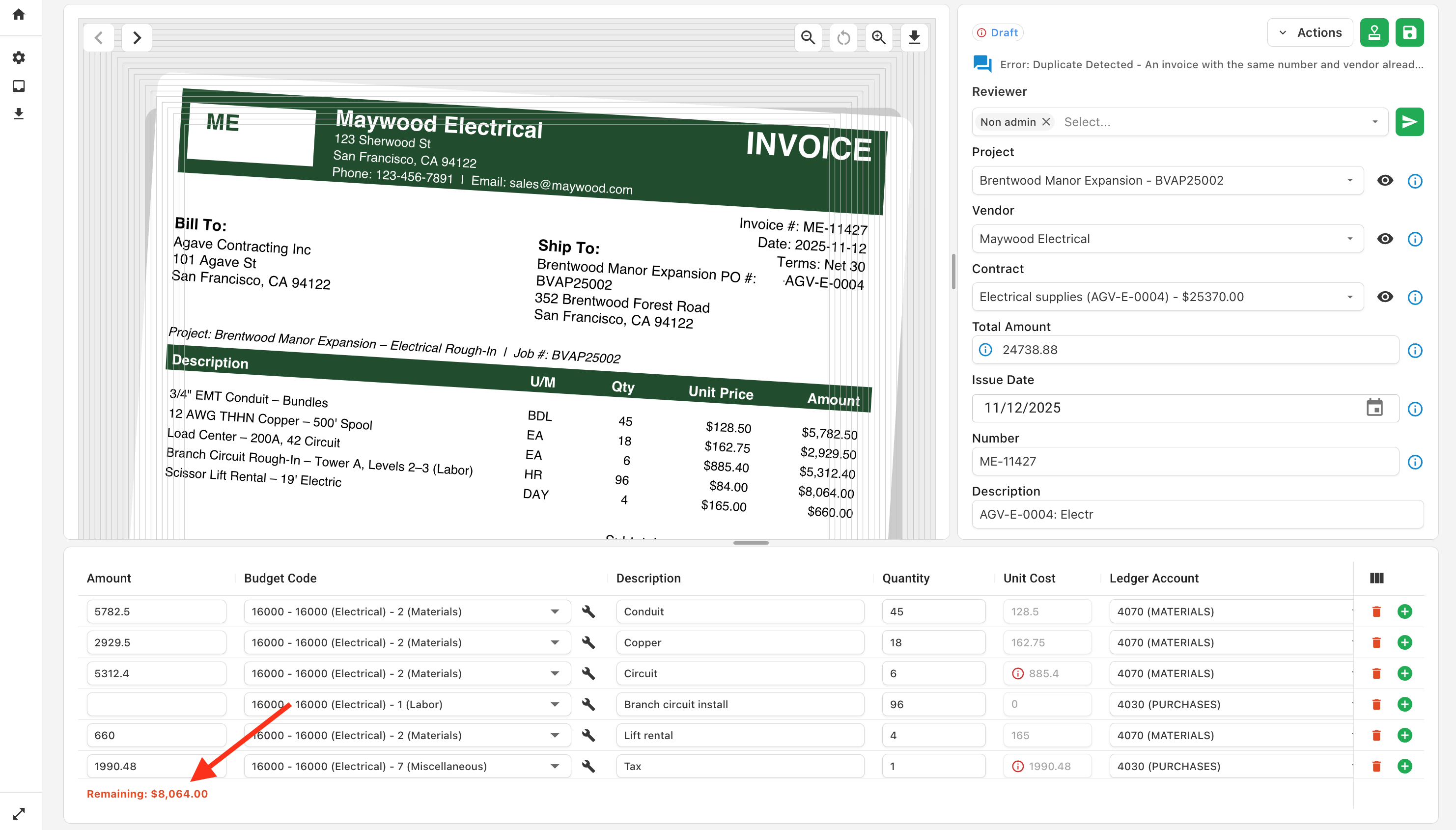
For invoices against commitments (Purchase Orders or Subcontracts), Agave creates an invoice line for every line item on the contract, including any Change Order lines. Agave AI then allocates the amount from the invoice across the commitment line items.
If no strong match is found, Agave will leave the remaining amount for you to distribute:
You can still add/remove line items when a commitment is selected. This is restricted for some accounting systems that do not allow non-committed line items.
Line Item Coding for Non-Committed Invoices
For non-committed invoices, you can choose how Agave structures and generates the line items:
-
Combine Line Items into One (more common) - Agave will create one line item by default for each invoice, which you can then break out into more line items as needed. This is best for users who typically enter a single invoice line for non-committed invoices, or whose invoices are frequently coded to only one Cost Code/Cost Type.
-
Separated Line Items - Agave will create one line item for each line detected on the invoice. Freight and tax are automatically broken into separate lines. This is best for users who need full invoice line description detail, at the cost of more invoice coding/review work.
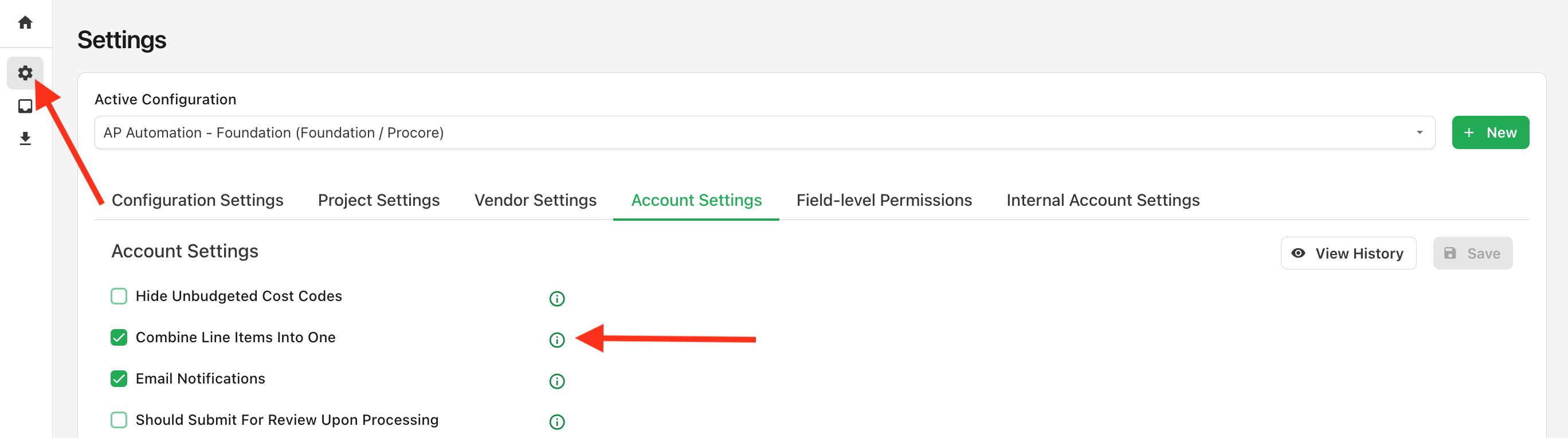
This is dictated by the Combine Line Items Into One checkbox on the settings page:
It will only apply on a go-forward basis.
Combined/Separated Invoice Examples
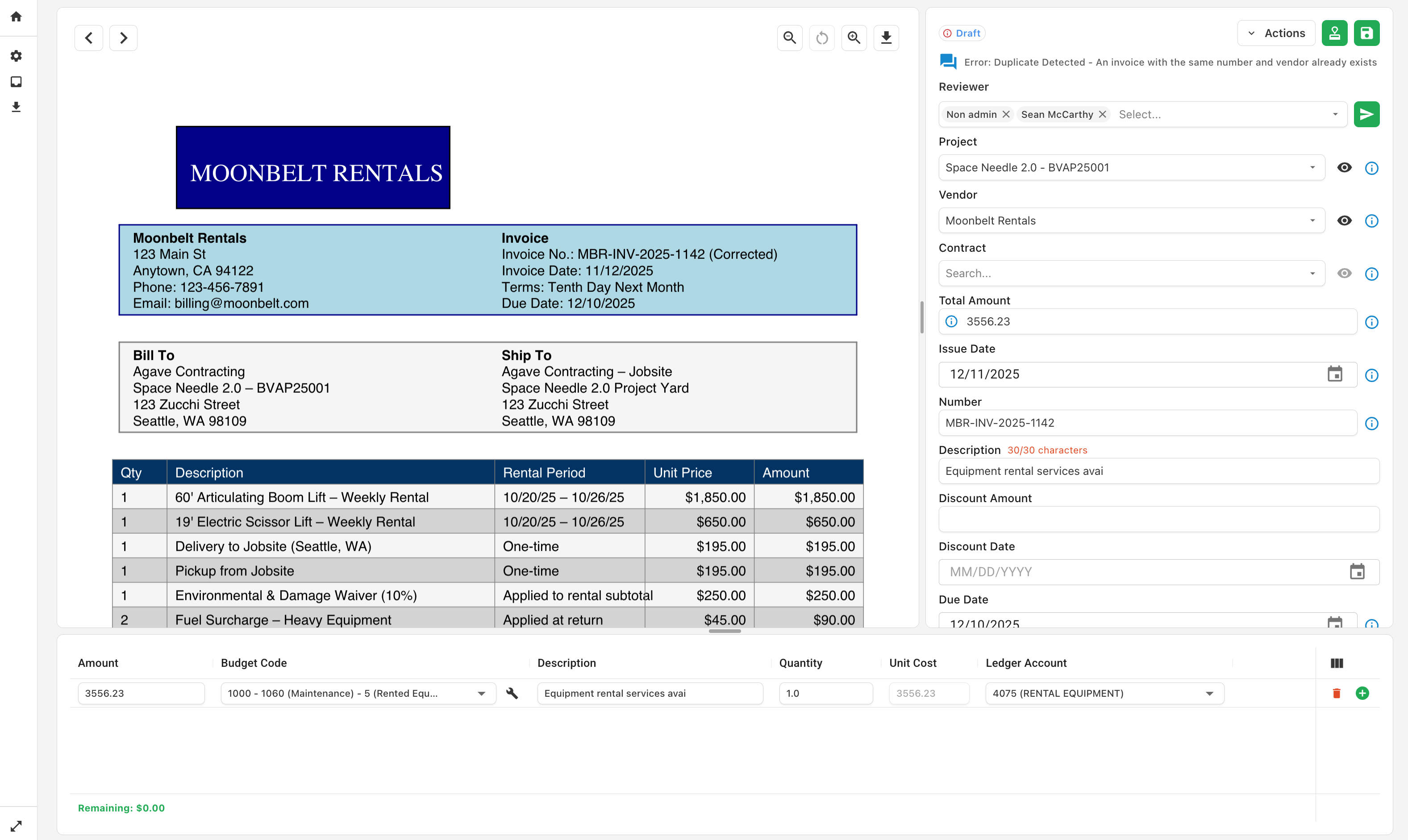
Below are examples of the same invoice when Combine Line Items into One is enabled/disabled.
Combine Line Items Enabled
Combine Line Items Disabled